The device you watch on affects your IPTV experience as much as the subscription itself. It decides which player apps you can install, how quickly channels change, how good the picture looks and how easy everyday use is. The good news is that most UK homes already own something suitable, and a capable streaming stick costs far less than a new TV.
This guide compares the devices UK viewers use most for IPTV and explains which one suits which kind of household. We have not included prices, because they change constantly with sales, but we say where a device sits in the market.
What matters in an IPTV device
Before comparing devices, it helps to know what to look for.
- App choice. The more player apps a device can run, the more likely you are to find one you like. Android-based devices have the widest choice.
- Processor and memory. A faster processor and more memory mean quicker channel changes, smoother scrolling through large guides and fewer crashes.
- Network connection. A wired Ethernet port, or at least modern Wi-Fi, makes the picture far more stable.
- Video support. For 4K, the device needs to support 4K output and modern video formats such as HEVC. For HDR, it needs to support the formats your TV uses.
- Remote control. A good remote with a responsive guide button makes daily use much more pleasant.
- Updates. Devices that still receive software updates keep working with current apps.
Amazon Fire TV Stick and Fire TV Cube
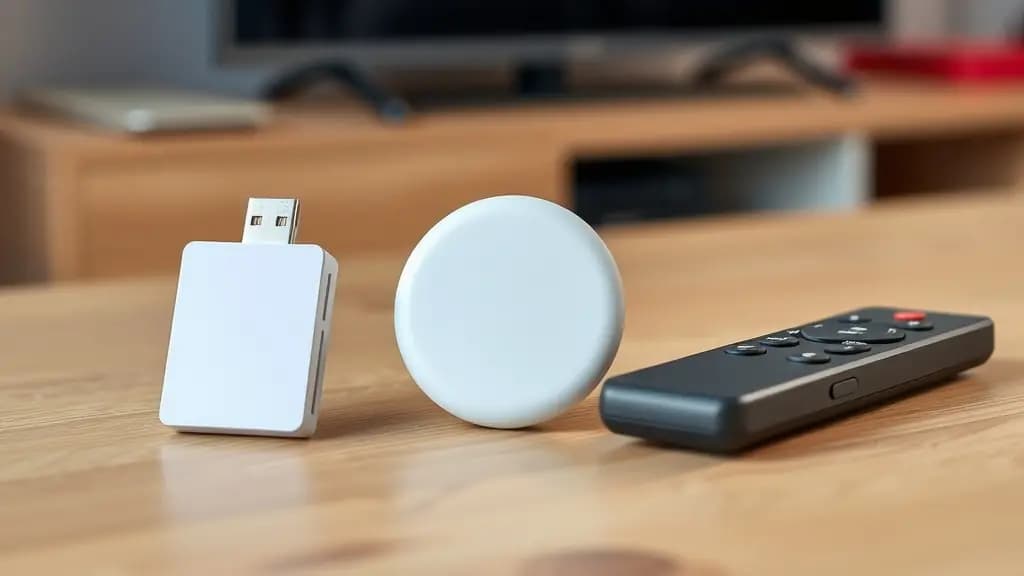
The Fire TV Stick is the most common streaming device in many UK homes, and it is the device we are asked about most.
Strengths
Fire TV Sticks are inexpensive, plug straight into an HDMI port, and come with a simple remote. Most models run Fire OS, which is based on Android, so they can run popular player apps including IPTV Smarters Pro and, through Amazon's Downloader app, TiviMate. The 4K models handle 4K and HDR, and the Fire TV Cube adds a faster processor and an Ethernet port.
Weaknesses
The smallest sticks have limited memory and storage, which can make large channel lists feel sluggish and leave little room for apps. Wi-Fi is the only connection on most sticks unless you add an Ethernet adapter. The interface also pushes Amazon's own content heavily.
Amazon has also started releasing some Fire TV devices on a new operating system called Vega OS, which does not let you install apps from outside Amazon's own Appstore. Before buying a Fire TV device for IPTV, check which operating system it runs and whether your chosen player app is available for it.
Best for
Most households, especially if you want a low-cost way to add IPTV to an existing TV. The Fire TV Stick 4K models are a sensible middle ground. Our Fire TV Stick setup guide walks through installation.
Android TV and Google TV boxes
This category includes the Google TV Streamer, which replaced Chromecast with Google TV in 2024, the Nvidia Shield TV, and many boxes from other brands.
Strengths
These devices run Android TV or Google TV with full access to the Google Play Store, so they offer the widest choice of IPTV player apps, including TiviMate. Premium boxes such as the Nvidia Shield are among the fastest streaming devices available, with Ethernet ports and strong 4K and HDR support.
Weaknesses
Quality varies enormously. Well-known brands receive regular updates, but cheap unbranded boxes often run old software, never get security updates, and are sometimes sold "fully loaded" with apps that access channels unlawfully. Avoid those.
Best for
Enthusiasts who want the best app choice and performance, and anyone who wants a wired connection without adapters. Our Android TV and Google TV setup guide covers installation.
Smart TVs
Many people would rather not add another device and want to use the apps built into their TV.
Samsung and LG
Samsung TVs run Tizen and LG TVs run webOS. Neither runs Android apps, so the choice of IPTV players is smaller and depends on the model year. Apps such as IBO Player are available on many recent models and use MAC address activation, which avoids typing long logins with the remote.
TVs running Android TV or Google TV
TVs from brands such as Sony, Philips, TCL and Hisense often run Android TV or Google TV. These behave much like a streaming box, with access to Google Play.
Strengths
There is nothing extra to buy, plug in or power, and the TV's own remote does everything.
Weaknesses
TV processors are often slower than a good streaming stick, so guides can scroll slowly. App support ends earlier than on dedicated streaming devices, and older TVs may not offer a suitable player at all.
Best for
Recent TVs with good app support, and households that value simplicity. If your TV is more than a few years old, a streaming stick is usually the better choice. Our Samsung and LG guide explains what to check.
Apple TV 4K
Strengths
Apple TV 4K is fast, well built and receives updates for many years. It supports 4K, Dolby Vision and HDR10, and some models have an Ethernet port. Apps such as iPlayTV and IPTV Smarters are available in the App Store.
Weaknesses
It sits at the premium end of the market, and the choice of IPTV players is narrower than on Android. Apps can only be installed from the App Store.
Best for
Households already using iPhones and iPads that want a polished, reliable device. See our Apple devices guide.
MAG boxes
Strengths
MAG boxes are dedicated IPTV set-top boxes. They connect to a provider through a portal address linked to the box's MAC address, and once set up they behave like a traditional TV box, with a straightforward remote and guide.
Weaknesses
They only do IPTV, with no general app store, and they are designed for a wired connection. Interfaces vary between models and can feel dated.
Best for
People who want a simple box that does one job and do not need other apps. Our MAG box guide covers setup.
Side-by-side comparison
| Fire TV Stick | Android TV box | Samsung or LG TV | Apple TV 4K | MAG box | |
|---|---|---|---|---|---|
| App choice | Good | Widest | Limited | Moderate | IPTV only |
| Speed | Good on 4K models | Good to excellent | Varies by model | Excellent | Good |
| Ethernet | Adapter needed (Cube built in) | Usually built in | Built in | Some models | Built in |
| 4K and HDR | 4K models | Most | Most recent models | Yes | Selected models |
| Ease of setup | Easy | Easy | Easy with MAC activation | Easy | Moderate |
| Typical price | Low | Low to high | Already owned | High | Moderate |
Our recommendations
If you want the simplest low-cost option
A Fire TV Stick 4K running Fire OS, with IPTV Smarters Pro or TiviMate.
If you want the best experience
A well-known Android TV or Google TV box, connected by Ethernet, running TiviMate.
If you do not want another device
A recent Samsung or LG TV with IBO Player, or a TV that runs Google TV.
If your household already uses Apple
An Apple TV 4K with a player from the App Store.
Tips whatever device you choose
- Connect by cable where you can. It is the single biggest improvement to picture stability. Our buffering guide explains why.
- Use the power supply that came with the device. Powering a stick from the TV's USB port can cause restarts.
- Keep the device updated. Updates fix bugs that affect playback.
- Buy from a reputable retailer. Avoid boxes sold pre-loaded with apps that promise free paid channels.
Frequently asked questions
Is a Fire TV Stick good enough for IPTV?
Yes, for most people. The 4K models handle IPTV comfortably. If channel lists feel slow, a faster device such as the Fire TV Cube or a premium Android TV box will help.
Do I need a 4K device?
Only if you have a 4K TV and want to watch 4K content. For HD viewing, any current streaming device is enough.
Can I use more than one device with the same subscription?
Yes. You can install your player app on several devices. How many can play at the same time depends on your plan's screen limit. Our article on IPTV screens and connections explains how that works.
Should I buy a second-hand streaming device?
A second-hand device can be good value, but check it still receives software updates and has been reset to factory settings. Avoid any device sold with apps already installed that promise free access to paid channels.
Which device is best for live sport?
A device with a fast processor and a wired connection gives the smoothest picture for fast-moving sport. Android TV boxes and the Fire TV Cube both do well.
Not sure which device you have, or whether it will work? Tell us the make and model when you contact us and we will check before you order.